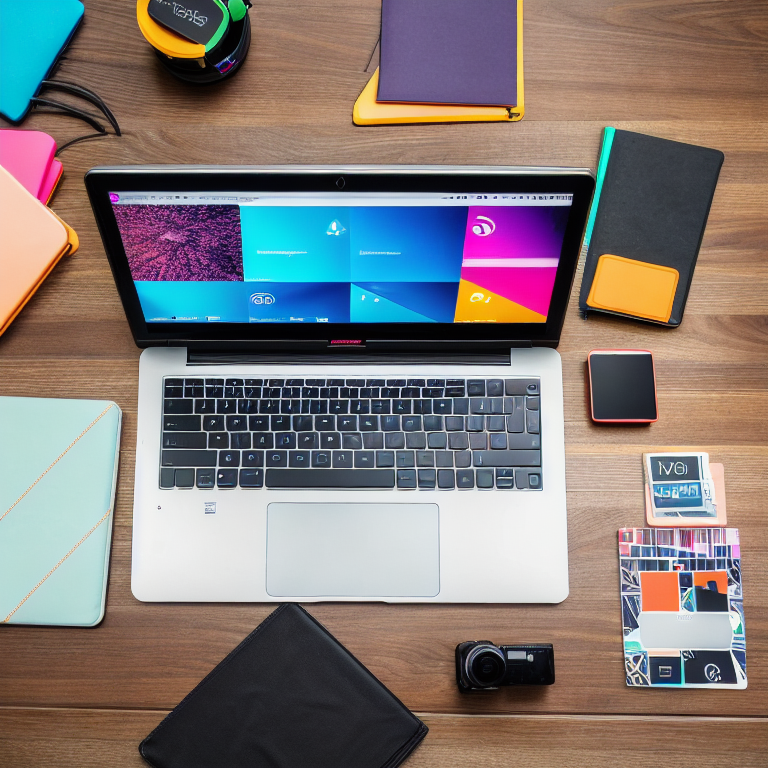
Starting your YouTube channel is exciting, but learning video editing can feel overwhelming at first. Don’t worry – with a few simple techniques and the right mindset, you can create videos that look professional and keep viewers coming back for more.
Video editing is really just about telling your story in the best way possible. Whether you’re sharing cooking tutorials, travel adventures, or daily vlogs, these DIY video editing tips will help you work faster and make your content shine.
Let’s dive into the world of video editing and discover how you can transform your raw footage into engaging content that your audience will love.
Getting Started with Your Editing Software
Choosing the right editing software is your first step. Free options like DaVinci Resolve, iMovie, or even mobile apps like CapCut work great for beginners. Start with what you have – you don’t need expensive software to create amazing videos.
Take time to learn the basics of your chosen software. Watch tutorial videos, practice with sample footage, and don’t be afraid to experiment. Most editing programs have similar layouts with a timeline, preview window, and media library.
Organize your files before you start editing. Create folders for your raw footage, audio files, graphics, and exports. This organization saves you tons of time later when you’re searching for that perfect clip.
Planning Your Video Structure
Before you even open your editing software, think about your video’s structure. What’s the main message? How will you keep viewers interested from start to finish? Planning helps you edit faster and create more engaging content.
Most successful YouTube videos follow a simple formula: hook viewers in the first 15 seconds, deliver your main content, and end with a clear call-to-action. Keep this structure in mind as you arrange your clips.
Consider creating a rough outline or storyboard. Even a simple bullet-point list of what happens in each section can guide your editing decisions and help maintain a good flow throughout your video.
Mastering Basic Cuts and Transitions
The foundation of good video editing is knowing when to cut. Basic cuts – where one clip immediately follows another – are your best friend. They keep the video moving without distracting fancy effects.
Avoid overusing transitions like wipes and dissolves. While they might look cool, too many transitions can make your video feel unprofessional. Stick to simple cuts for most of your video, using transitions only when they serve a specific purpose.
Pay attention to the rhythm of your cuts. Try to match cuts to the beat of background music or natural pauses in dialogue. This creates a more polished, professional feel to your videos.
Perfecting Audio for Better Engagement
Audio quality is just as important as video quality. Poor audio can make even the most beautiful footage unwatchable. Always use an external microphone when possible, and clean up your audio in editing.
Remove background noise using your editing software’s noise reduction tools. Even free programs have basic audio cleanup features. You can also use free tools like Audacity for more advanced audio editing.
Add background music to set the mood, but keep it at a low volume so it doesn’t overpower your voice. Free music sites like YouTube’s Audio Library offer royalty-free tracks you can use safely in your videos.
Color Correction Made Simple
Color correction helps your video look more professional and consistent. Even basic adjustments can make a huge difference in how your content appears to viewers.
Start with basic adjustments like brightness, contrast, and saturation. Most editing software has automatic color correction tools that work well for beginners. Use these as a starting point, then make manual adjustments if needed.
Create a consistent look across all your videos by saving your color settings as presets. This helps establish your brand’s visual style and makes future editing faster.
Adding Text and Graphics Effectively
Text overlays and graphics can help explain complex ideas or add emphasis to important points. Keep your text simple, readable, and on-brand with your channel’s style.
Use large, clear fonts that are easy to read on mobile devices. Stick to 2-3 colors maximum, and make sure there’s enough contrast between your text and background.
Free design tools like Canva can help you create custom thumbnails and channel art. Check out our guide on creating stunning Instagram stories with Canva for more design tips that work perfectly for YouTube graphics.
Optimizing for YouTube Success
YouTube has specific requirements for video format, length, and quality. Export your videos in 1080p HD at 30fps for the best balance of quality and file size.
Pay attention to your video’s title, description, and tags. These help YouTube understand what your video is about and suggest it to the right viewers. Use keywords naturally in your descriptions.
Create eye-catching thumbnails that make people want to click. Our article on the best free tools for editing YouTube thumbnails can help you design professional-looking thumbnails without expensive software.
Common Mistakes to Avoid
One of the biggest mistakes new creators make is trying to make everything perfect. Remember, consistency beats perfection. It’s better to publish regularly than to spend months perfecting one video.
Don’t ignore your audio. Many beginners focus only on video quality and forget that bad audio can ruin a great video. Always test your audio before recording important content.
Avoid information overload. Keep your videos focused on one main topic or idea. If you have multiple topics, consider making separate videos instead of cramming everything into one long video.
Building Your Editing Workflow
Develop a consistent editing process that works for you. This might include organizing footage, rough cutting, fine-tuning, adding music and effects, and final review.
Create templates for elements you use frequently, like intro animations or lower thirds. This saves time and helps maintain a consistent look across your videos.
Set realistic deadlines for yourself. Editing can take longer than you expect, especially when you’re learning. Give yourself enough time to create quality content without burning out.
Frequently Asked Questions
What’s the best free video editing software for beginners?
DaVinci Resolve and iMovie are excellent free options. They offer professional features without the cost, and there are tons of free tutorials available online.
How long should my YouTube videos be?
The ideal length depends on your content and audience. Generally, aim for 7-15 minutes for most content. Focus on providing value rather than hitting a specific time target.
Do I need expensive equipment to start?
No! You can start with just your smartphone. Many successful YouTubers began with basic equipment. Focus on good lighting and clear audio first, then upgrade equipment as you grow.
How can I make my videos more engaging?
Start with a strong hook in the first 15 seconds, maintain a good pace, and always provide value to your viewers. Ask questions, tell stories, and encourage interaction through comments.
What’s the best way to learn video editing?
Practice consistently and watch tutorials from experienced creators. Start with simple projects and gradually take on more complex editing techniques. Don’t be afraid to make mistakes – they’re part of the learning process.
Conclusion
Video editing doesn’t have to be scary or complicated. With these DIY tips and consistent practice, you’ll be creating professional-looking YouTube videos in no time. Remember that every successful creator started exactly where you are now.
The key is to start simple, stay consistent, and keep learning. Your editing skills will improve with each video you create. Don’t compare your beginning to someone else’s middle – focus on your own progress and enjoy the creative journey.
Ready to take your YouTube channel to the next level? Check out our other helpful articles on designing eye-catching Pinterest pins and choosing the perfect color palette for your brand. These skills complement your video editing knowledge and help create a cohesive online presence.
Now grab your footage, open your editing software, and start creating amazing content. Your future audience is waiting to see what you’ll make!
Leave a Reply