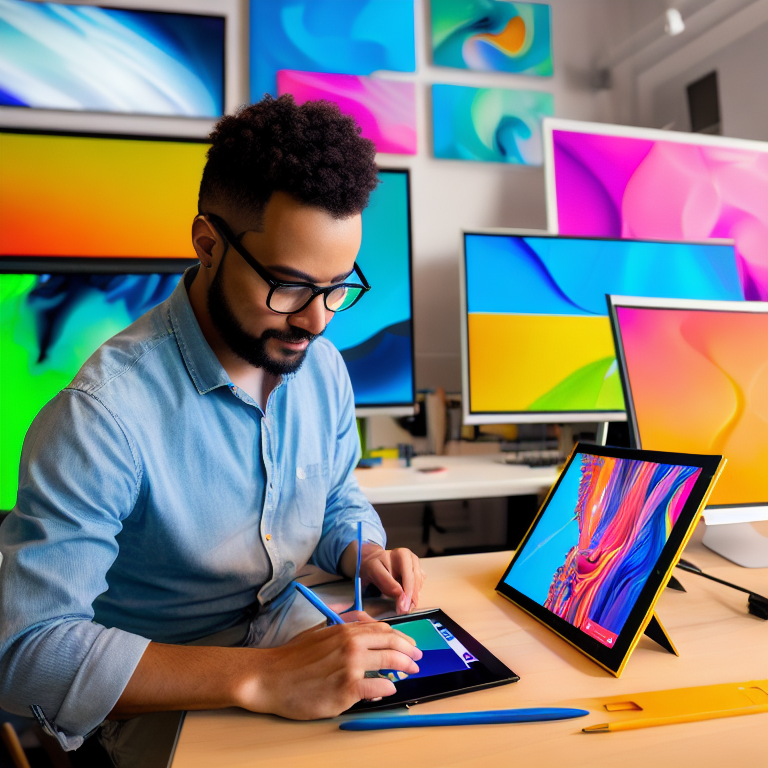
Creating beautiful digital art doesn’t require expensive software or fancy equipment. Thanks to the many free tools available today, anyone can start making stunning artwork right away. Whether you’re just starting out or want to improve your digital art skills, these free programs offer professional-quality features that rival paid alternatives.
The best part about digital art is that you can experiment without worrying about wasting materials. Made a mistake? No problem – just hit undo. Want to try a different color scheme? Easy to change. This freedom to explore and create without limits is what makes digital art so exciting and accessible to everyone.
Essential Free Digital Art Software
The foundation of any digital art journey is finding the right software. Several excellent free programs can handle everything from simple sketches to complex paintings.
Krita is one of the most popular free art programs, offering hundreds of brushes, layer support, and animation tools. It works great for both beginners and professionals, with an interface that’s easy to learn but powerful enough for serious projects.
GIMP is another fantastic option, especially if you want photo editing capabilities along with digital painting tools. It handles layers, filters, and effects beautifully, making it perfect for creating mixed media artwork.
MediBang Paint is ideal for comic artists and illustrators, with built-in comic templates, cloud storage, and a clean, simple interface that’s perfect for quick sketches and detailed illustrations.
Setting Up Your Digital Workspace
Before you start creating, you’ll want to set up your workspace for maximum creativity and comfort. Even with free tools, having the right setup makes a huge difference.
A drawing tablet is the most common tool for digital art, but you don’t need an expensive one. Many artists start with basic graphics tablets that connect to your computer via USB. If you don’t have a tablet, you can still create amazing art using a mouse or even your finger on a touchscreen device.
Make sure your workspace has good lighting to reduce eye strain, and consider using a color-calibrated monitor if possible. This helps ensure the colors you see on screen match what you intend to create.
Understanding Basic Digital Art Techniques
Digital art has some unique techniques that differ from traditional drawing and painting. Learning these basics will help you create better artwork faster.
Layers are one of the most powerful features in digital art. Think of them like transparent sheets stacked on top of each other. You can draw on separate layers for the background, characters, and details, making it easy to edit specific parts without affecting others.
Brush settings are another important concept. Most free art programs let you adjust brush size, opacity, flow, and texture. Experimenting with these settings helps you achieve different effects, from soft watercolor-like strokes to sharp, detailed lines.
Selection tools let you isolate parts of your artwork for editing, moving, or applying effects. Learning to use the lasso, magic wand, and other selection tools will speed up your workflow significantly.
Finding Inspiration and Building Your Style
Every artist needs inspiration, and the digital world offers endless sources. Social media platforms like Instagram and Pinterest are filled with amazing artwork you can study and learn from.
Start by collecting references – photos, paintings, or other artwork that inspire you. Many free art programs include built-in browser windows or allow you to keep reference images open alongside your workspace.
Don’t worry about copying other artists’ styles exactly. Instead, study what you like about their work and incorporate those elements into your own unique style. Over time, you’ll develop a personal artistic voice that’s distinctly yours.
Free Resources for Digital Artists
Beyond the software itself, many free resources can enhance your digital art journey. Brush packs are available for most free programs, offering specialized tools for different styles like manga, oil painting, or pixel art.
Color palettes and swatches can be downloaded for free, helping you choose harmonious color combinations without the guesswork. Many artists share their custom palettes online, organized by theme or mood.
Tutorial websites and YouTube channels offer countless free lessons on everything from basic techniques to advanced effects. Sites like Draw with Jazza, Proko, and Ctrl+Paint have excellent free content for artists at all levels.
Common Digital Art Mistakes to Avoid
When starting out, it’s easy to make mistakes that can slow your progress or frustrate you. Being aware of these common pitfalls helps you avoid them.
One mistake is trying to use too many fancy brushes or effects before mastering the basics. Start with simple brushes and focus on fundamentals like composition, lighting, and anatomy before getting into complex techniques.
Another common error is working at too low a resolution. Always create your artwork at a high enough resolution (at least 300 DPI) so you can print it later if desired. Low-resolution art looks blurry and unprofessional.
Many beginners also struggle with color management. Make sure your monitor is set to a standard color profile, and learn basic color theory to create more appealing artwork.
Taking Your Art to the Next Level
Once you’re comfortable with the basics, there are several ways to improve your digital art skills. Regular practice is essential – try to create something every day, even if it’s just a quick sketch.
Study traditional art fundamentals like perspective, anatomy, and composition. These principles apply to digital art just as much as traditional media, and understanding them will dramatically improve your work.
Join online art communities where you can share your work, get feedback, and connect with other artists. Many free art programs have active communities that share tips, resources, and encouragement.
Frequently Asked Questions (FAQ)
What’s the best free software for beginners in digital art?
Krita is often recommended for beginners because it has an intuitive interface while still offering powerful features. It’s free, regularly updated, and has a large community of users who share tutorials and resources.
Can I make professional-quality art with free tools?
Absolutely! Many professional artists use free software like Krita and GIMP. The quality of your art depends more on your skills and creativity than the cost of your tools. Several successful illustrators and concept artists create their work entirely with free programs.
Do I need a drawing tablet to create digital art?
While a drawing tablet makes the process more natural and precise, it’s not required. Many artists create beautiful digital art using only a mouse or even touchscreens. If you’re just starting out, try creating with what you have before investing in equipment.
How can I learn digital art techniques for free?
YouTube has countless free tutorials covering every aspect of digital art. Many professional artists also offer free courses on their websites or social media platforms. Practice consistently and don’t be afraid to experiment with different techniques.
What file formats should I use when saving my digital art?
For working files, use your program’s native format (like .kra for Krita or .xcf for GIMP) to preserve layers and editability. For sharing or printing, save as high-quality PNG or JPEG files. If you need transparency, use PNG format.
Conclusion
Creating stunning digital art with free tools is absolutely possible and more accessible than ever before. The key is to start simple, practice regularly, and gradually build your skills and confidence. With programs like Krita, GIMP, and MediBang Paint, along with countless free resources and tutorials, you have everything you need to begin your digital art journey today.
Remember that every artist starts somewhere, and your first pieces don’t need to be perfect. Focus on enjoying the creative process, learning from your mistakes, and developing your unique style over time. The digital art community is welcoming and supportive, so don’t hesitate to share your work and connect with other artists.
Most importantly, have fun creating! Digital art offers endless possibilities for expression and creativity, and with free tools at your fingertips, there’s nothing stopping you from making amazing artwork. Start exploring these programs today, and you might discover a passion that brings you joy for years to come.
Leave a Reply